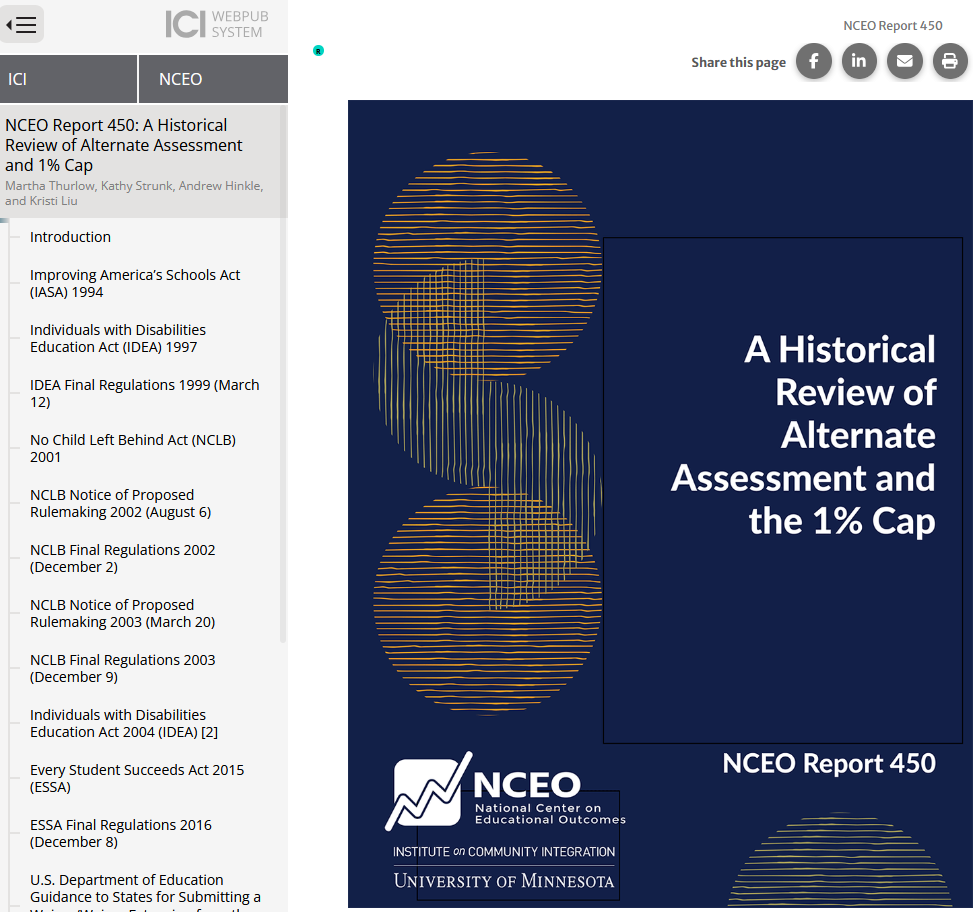
Starting this past summer, NCEO changed how it delivers all its publications. Having already provided only electronic publications for some time, all products are now served through a Web Publications format. This web-based format makes our resources even more accessible, especially for individuals who use screen readers. While NCEO has used this format for select products in the past, this will now be our standard for delivering all publications going forward.
What are Web Publications?
Web Publications are HTML based web pages crafted to be fully accessible to screen readers. In the past, NCEO created most products as PDFs along with more accessible standard HTML versions. The Web Publications format moves beyond what both of those formats could do and delivers a better accessibility experience with added enhancements that make reports more usable for everyone. Moving forward, this means we will no longer be producing products as PDF files or in standard HTML. However, you will still be able to download a PDF using features in Web Publications. Read on to learn how.
As part of the Institute on Community Integration (ICI) at the University of Minnesota, NCEO is committed to meeting the needs of all users. The Web Publications system designed by ICI goes beyond the minimum requirements of Title II to meet a higher standard.
Helpful New Features
At the top in Web Publications you have access to some useful new features:
- “Read to Me” Function: This function offers quick access to an audio version of the report. Hover your cursor over the top left corner of a document, and you will see the “Read to Me” icon appear. Click it, and the document will be read aloud to you.
- Share to Social Media: Would you like to easily share an NCEO report with your network? There are convenient share-to-social-media buttons (e.g., Facebook, LinkedIn) at the top right corner of each publication.
- Email a Link & Print: You can quickly email a report link to colleagues or friends using the dedicated email button. Plus, while we are moving away from PDF production, you still have the flexibility to print a copy of the report or even save it as a PDF using the print button.

Seamless Navigation
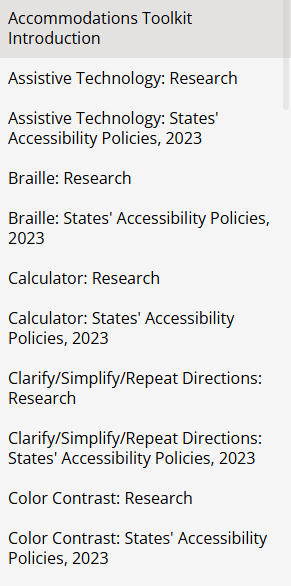
On the left side of Web Publications documents, there is a panel designed for easy navigation. This feature functions like a clickable table of contents within a single document or, in some cases, it allows you to move seamlessly between linked documents in a series.
As an example of this navigation in action, check out NCEO’s Accommodations Toolkit. The left-hand navigation panel allows you to effortlessly move between nearly 60 research summaries and policy analyses on over 20 different assessment accommodations.
We encourage you to explore our latest publications using this new format to experience the improved accessibility and usability firsthand.